






Frequently asked questions.
The things people ask before they get started with Mayavi. Can't find yours? Ask us
Getting started
What's the difference between assistants and agents?
Assistants are the customer-facing side. They handle conversations over chat, voice and messaging channels. Agents are the workers behind the scenes. They run multi-step tasks, call your tools and automate operations. Assistants talk to people. Agents do the work.
How do I embed Mayavi on my website?
One line of code. Add a script tag and a chat widget appears in the corner of your site. Visitors can talk to your assistant by text or voice with no login required, and you control which domains are allowed from your dashboard.
What is realtime voice, and do I need it?
Realtime voice powers live, natural phone-style conversations. Most teams start with text chat and standard voice, then add realtime voice later for phone support or high-touch calls. It's an add-on, so you only pay for it if you use it.
Which AI models can I use?
Pick the model per agent: OpenAI, Gemini, Claude, or Sarvam for Indian languages. A lighter model costs fewer credits for the same task.
Pricing and billing
How does Mayavi's pricing work?
Your subscription includes the AI. Usage is metered in credits, and different models cost different amounts for the same task, so a lighter model costs less than a heavier one. Your bill tracks what your agents actually do, not a flat count of "conversations" or "resolutions".
Which pricing option is right for me?
Mayavi comes in three setups. Managed SaaS is the default: we host and run everything, and you pay in credits based on real usage. BYOK is the same platform, but you bring your own model and telephony accounts, so provider usage bills directly to you with no markup. Self-hosted deploys Mayavi in your own cloud or on-prem, with SSO, audit logs and data residency, for teams with stricter compliance needs.
Most teams start on Managed SaaS. Talk to us if you're not sure which fits.
Do I need my own API keys?
For core features like chat, agents and standard voice, everything is included in your plan. For optional voice providers such as ElevenLabs or Deepgram, and for telephony like Twilio, you bring your own account and keys. Mayavi handles the orchestration, and you keep the provider relationship.
What happens when I run low on credits?
We never cut off your AI in the middle of a customer conversation. You get a heads-up as you approach your limit, and anything beyond your plan is billed transparently, with no surprise stops.
Channels and integrations
Can I connect Mayavi to my existing tools?
Yes. Today that includes Shopify, Zendesk, Intercom, Gorgias, Google Calendar, Sheets and Gmail, SendGrid and Telegram. You can also connect any custom REST API visually, with no code, or plug in MCP tool servers.
Do I need a new phone number?
No. Need a number? We'll give you one. You can also keep your current number if it's with Twilio, Telnyx, Plivo or Exotel.
Does it work on WhatsApp?
Yes. Connect a Meta WhatsApp Business account. WhatsApp only allows replies within 24 hours of the customer's last message, unless you use an approved template.
Is there a Shopify app?
Not yet. You connect your store from Mayavi's Tools page.
Safety and control
What happens when the AI can't answer?
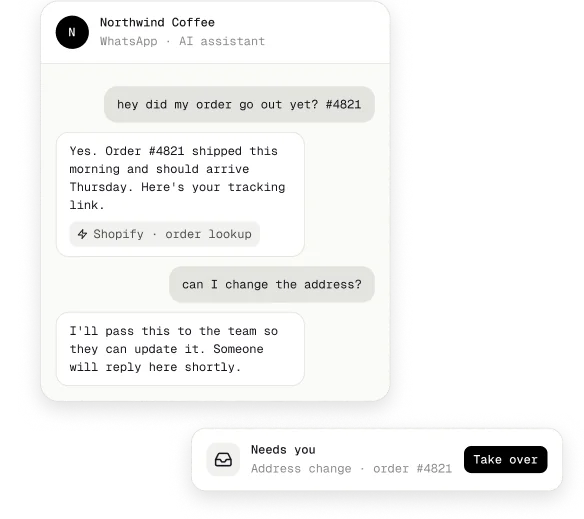
It hands the conversation to your team in the Inbox with full context, and can open a ticket for a call-back.
Can I stop an agent from doing certain things?
Yes. You decide what an agent may do. Switch off any operation, add an approval step before sensitive actions, and set step limits and timeouts. Every action is traced.
How is my data protected?
Data is encrypted in transit, credentials and tokens are encrypted at rest, and personal data can be masked before it reaches a model. Model providers are contractually prohibited from training on your data. Read more about security.

Hear it answer a call.
Book a 20 minute demo. We will set up an assistant on your own hours, services and calendar, and you can call it while we talk.