






Why this one question matters
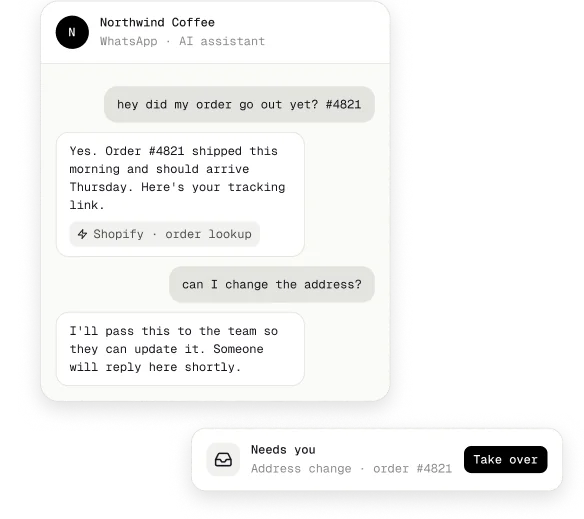
For most online stores, "where is my order" is the single most common support message. Each one means opening Shopify, finding the order, copying a tracking link and replying. Then the next one arrives, on a different channel.
Answer it from live data
Connect your store under Tools and the assistant can look up an order's status, fulfilment and tracking while it replies. It works the same on your website chat, WhatsApp, email and phone, because it's one assistant with one set of instructions. Running several stores? Connect each one and it checks the right store.
Tell customers before they ask
An automation can message the customer when an order is placed, paid, fulfilled or refunded. A WhatsApp message the moment an order ships removes many questions before they're asked. On WhatsApp, messages you start outside the 24-hour window need a template Meta has approved.
Hand over the ones that need a person
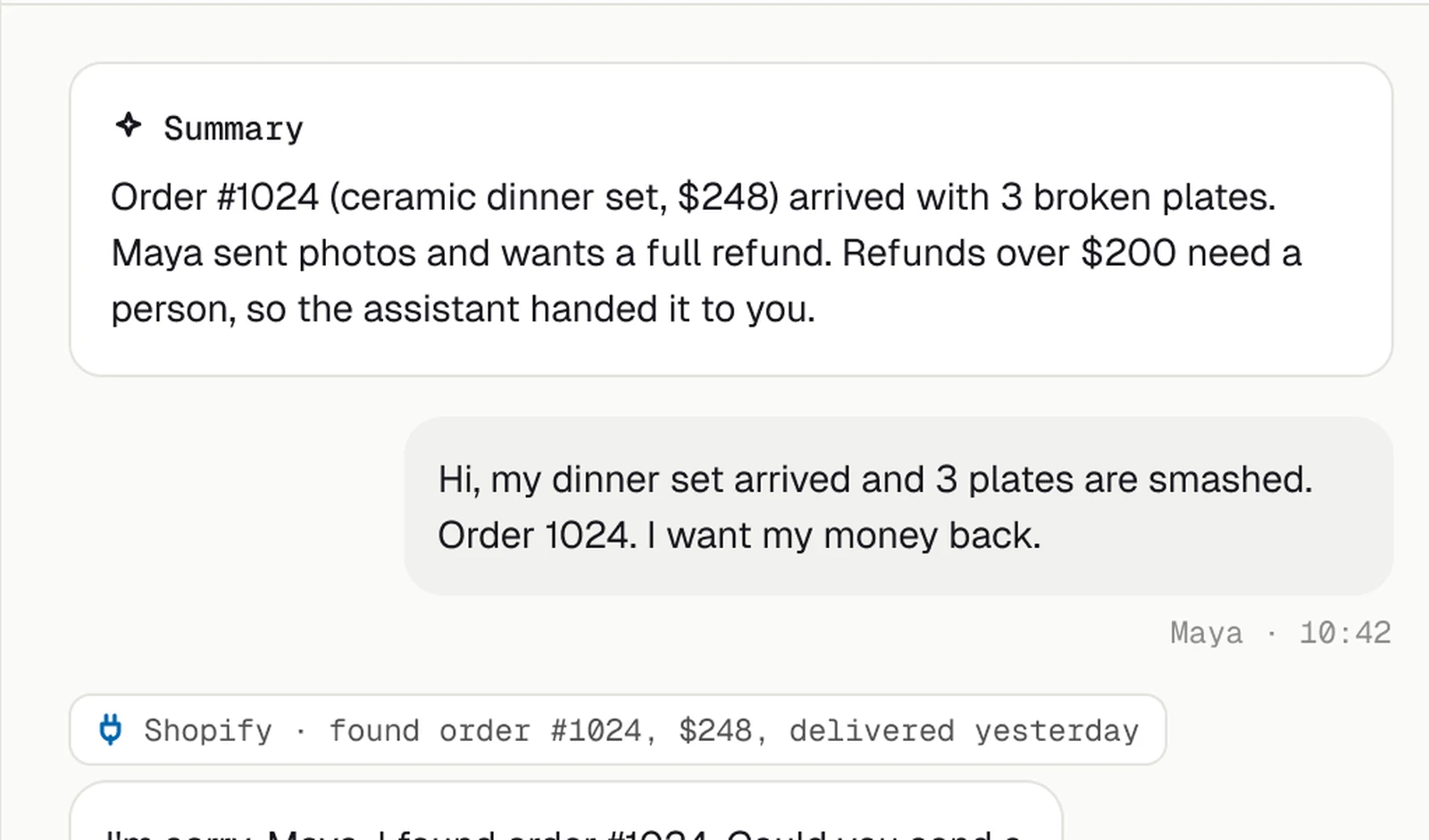
Address changes, damaged items and refunds go to the Inbox under Needs you, with the order beside the chat and a summary of what happened. Your team replies on the same channel and hands the conversation back when they're done.
By default, the assistant can't cancel orders, issue refunds or change addresses. Switch those actions on only if you want to, and add an approval step for anything over your limit.
A setup checklist
- Create an assistant from the Customer support template.
- Connect Shopify under Tools.
- Add your returns policy, shipping times and sizing guide to Knowledge.
- Add the chat widget to your store, connect WhatsApp, and test with real questions.
- Switch on the order-update automation.